Emojify for Slack - Quick Start Guide
What is Emojify?
Emojify is a Slack App that effortlessly generates custom emojis from your profile images. With our automatic face detection technology, you can quickly create and upload optimized usable custom emojis to Slack for use in conversations.
How to use the app
Step 1.
- Click the "Add to Slack" button below:

Step 2.
- After click "Add to Slack" above, you will be redirected to a permissions auth page to approve the app installation for your work space. Click to authorize the installation.
Step 3.
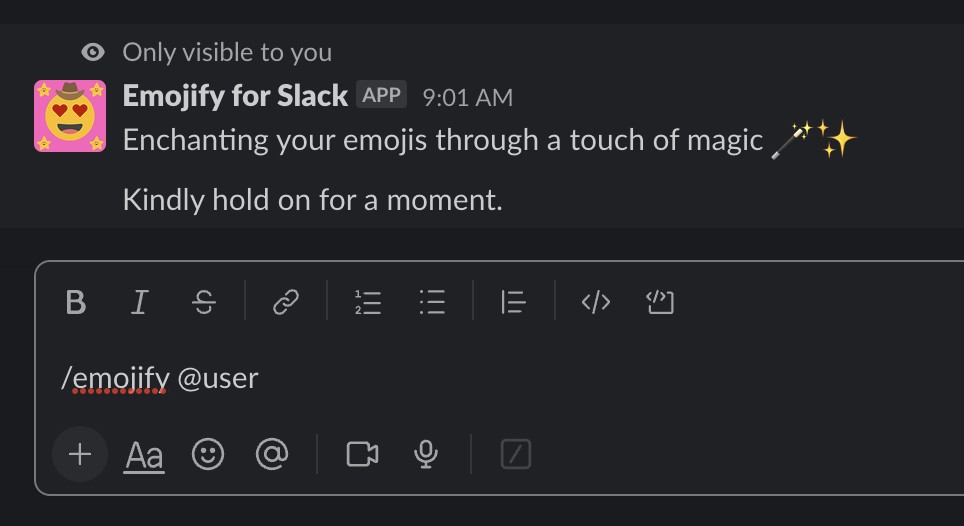
- Now you've installed Emojify use the /emojify command followed by @username to create custom emojis in Slack. Substitute 'username' with the handle of any team member, or your own for personal emojis.
For example:
/emojify @tom
Step 4.
- After waiting between 15-45 seconds you will receive a direct message from the Emojify app with your new Emojified face!
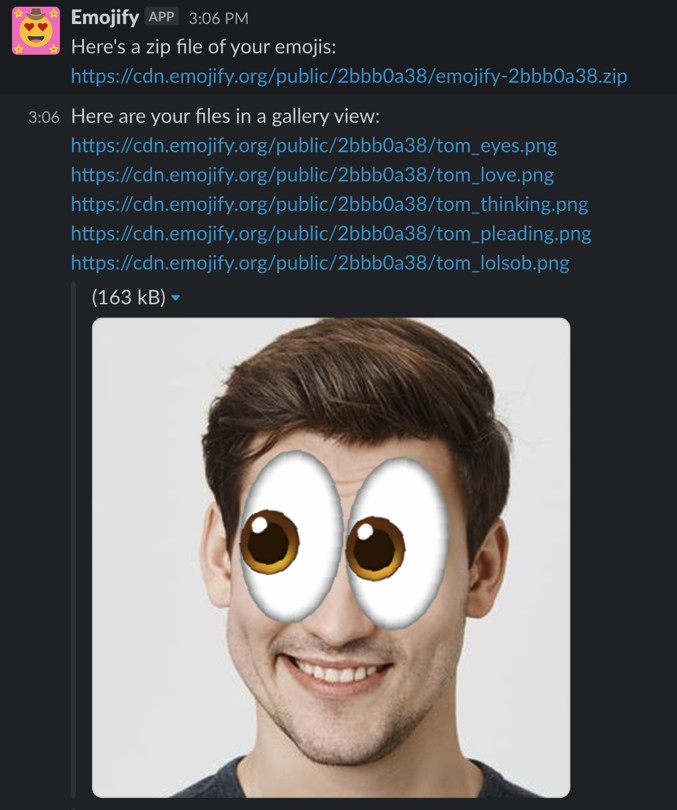
- The DM from Emojify will contain download URL's to all of the emojis generated + a link to a ZIP file containing all of the emojis.
Using your Emojis in Slack
- Download your emojis using the individual image links or the ZIP file to download them as a bundle.
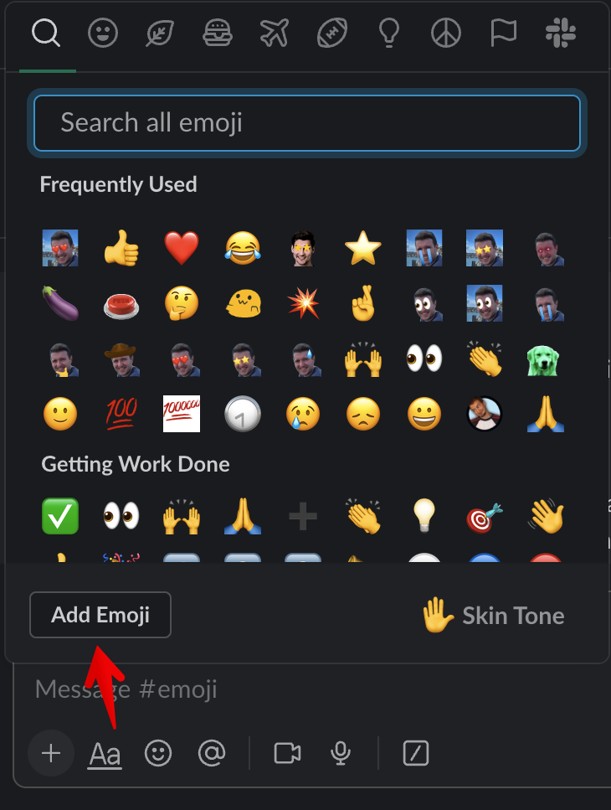
- Open your emoji toolbar and click "add emoji"
-
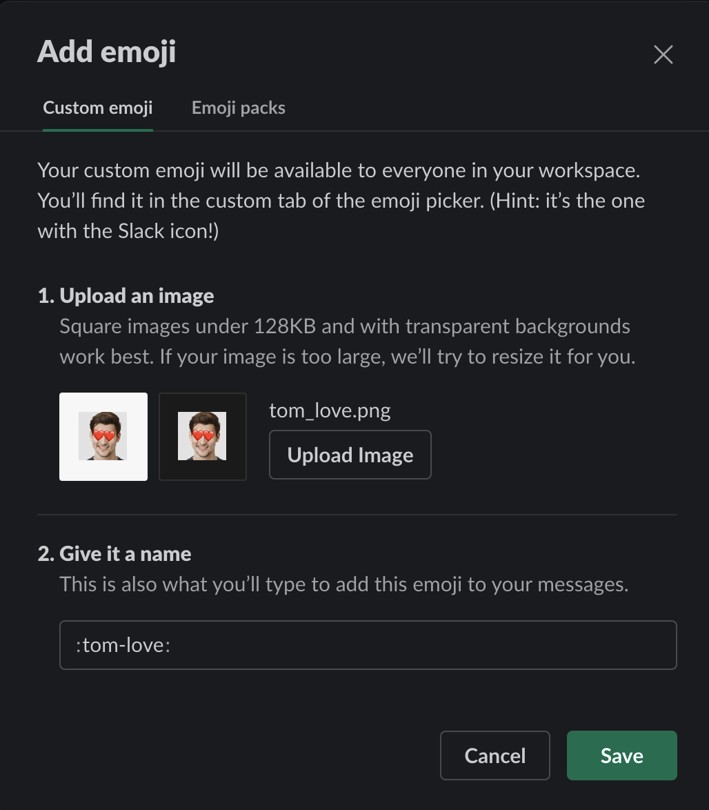
Upload your download Emojify, and choose a shortcode, such as :user-love: etc.
Tip! Want to bulk upload your Emojis to your workspace? Check out this browser extension:
https://chrome.google.com/webstore/detail/neutral-face-emoji-tools/anchoacphlfbdomdlomnbbfhcmcdmjej
Github repo: https://github.com/Fauntleroy/neutral-face-emoji-tools
Now put that Emoji to action!

Features coming soon:
- 100s more new Emojis!
- And more!
Do you have any feature requests? Email support@emojfy.org, we'd love to hear from you.